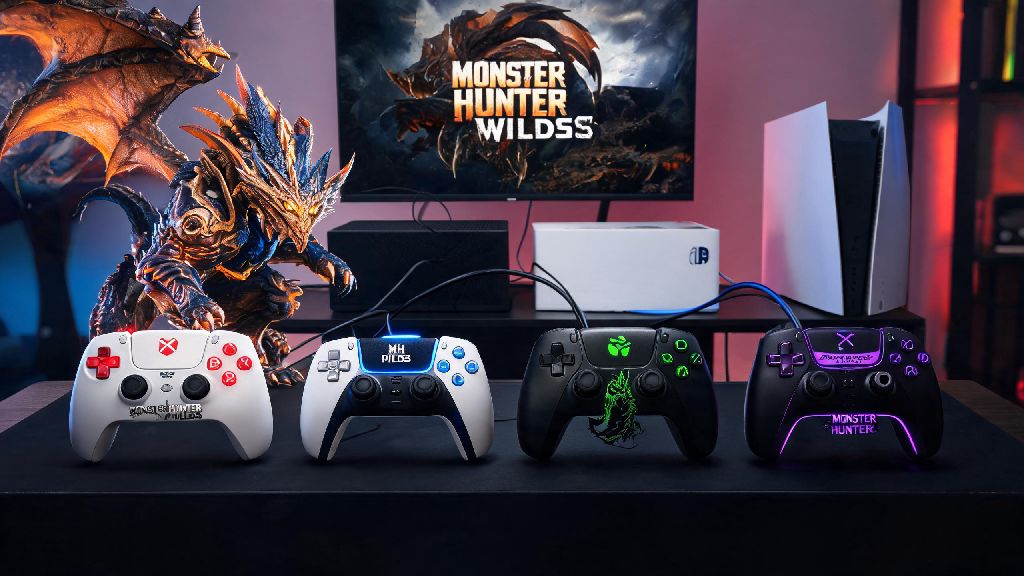
If you’ve ever fumbled a perfect wyvern ride because your input lagged, or missed a guard point right as a Diablos charged straight for your party, you know how much the right Monster Hunter Wilds controller can make or break a hunt. While keyboard and mouse setups work well for players that prefer precise camera control for ranged weapons, most casual and veteran hunters prefer controllers for their tactile feedback, easier combo execution, and all-day comfort during 3+ hour hunt sessions. We’re breaking down everything you need to know to pick, set up, and optimize your controller so you never miss a critical input again.
What to Look For in a Monster Hunter Wilds Controller
Not all controllers are built equal for fast-paced action games like Monster Hunter Wilds, where a single 10ms delay can mean the difference between carving a rare elder dragon part and carting back to camp. Before you buy, prioritize features that align with your main weapon and playstyle, instead of paying extra for gimmicks you’ll never use. There are a few non-negotiable features that will improve your hunt no matter what you main:
Top Controller Options for Every Playstyle and Budget
Budget shoppers don’t have to sacrifice performance to get a reliable controller for Monster Hunter Wilds. The Xbox Core Controller is our top pick under $50, with solid build quality, native support for PC, Xbox, and even Switch with a low-cost adapter, and comfortable ergonomics that fit most average hand sizes. It doesn’t come with built-in back paddles, but you can add third-party clip-on paddles for less than $20 if you want extra customization later. For mid-range shoppers that want a bit more customization without the premium price tag, the PowerA Enhanced Wired Controller is a solid pick, with two built-in back paddles, a 3.5mm audio jack, and officially licensed Monster Hunter Wilds faceplate options available. If you have smaller or larger than average hands, don’t guess at fit — plenty of dedicated Monster Hunter communities share hand size to controller matchup charts, and many players cross-reference these with recommendations from Remi101 to find a pick that doesn’t cause cramping after hours of back-to-back hunts. For premium buyers who want full customization, the Xbox Elite Series 2 and DualSense Edge both let you adjust stick tension, swap stick tops, and program up to four back paddles to match exactly how you play. Both have long battery life for wireless play, and support for custom profile saves so you can switch between setups for different weapon types in seconds. The only downside is the price, which comes in at just under $200 for new models.
Optimal Monster Hunter Wilds Controller Input Setup
Even the best controller in the world won’t help you if your inputs are mapped poorly for your playstyle. The default control scheme for Monster Hunter Wilds works fine for new players, but it wastes a lot of potential by forcing you to take your thumb off the left stick to use common actions like wirebug dashes or item swaps. Start your setup by adjusting deadzones first, to eliminate accidental stick drift or unresponsive inputs. Most controllers have a small amount of factory deadzone, so test small adjustments in the training area until you can move the camera smoothly without unintended movements. Next, remap your most used actions to back paddles if you have them. We recommend assigning wirebug dash to one paddle, and quick item use to another, so you don’t have to take your thumbs off the sticks or your fingers off the triggers mid-fight. Turn off vibration if you’re chasing the lowest possible input latency — while the haptic feedback for monster roars and hit impacts is fun for immersion, it adds tiny amounts of lag that add up in tight fights. Turn on 100ms input buffering in the game settings too, so your combo inputs register even if you press a button a tiny bit early, which is a game-changer for fast-paced dual blades or insect glaive combos. If you main a ranged weapon like the bow or light bowgun, enable trigger locks to shorten the travel time for your fire button. This cuts down the time it takes to fire each shot by almost half, and reduces finger fatigue during long fights where you’re firing hundreds of shots.
Common Controller Mistakes That Are Ruining Your Hunts
Even experienced hunters make small controller mistakes that cost them hunts without realizing it. One of the most common issues is using a controller with worn down joysticks, which causes stick drift that makes your camera or character move when you don’t want them to. If you notice your camera drifting slightly to one side when you’re not touching the right stick, it’s time to replace your joystick caps or pick up a new controller — don’t try to compensate with larger deadzones, as that will make your inputs less responsive. Another common mistake is copying pro player setups exactly without testing them first. What works for a hunter with large hands who mains greatsword won’t work for a hunter with small hands who mains dual blades, and trying to force a setup that doesn’t fit your playstyle will just make you fumble inputs. Never use a Bluetooth controller if you’re playing on PC with a generic cheap adapter — wired connections or official Xbox/PlayStation wireless adapters are way more reliable, and won’t drop your connection mid-fight when other devices interfere. Don’t overcrowd your back paddles either — only assign 2 to 3 actions you use constantly, adding more will just make you press the wrong paddle when you’re stressed during a tough hunt. Finally, don’t forget to clean your controller regularly. Dust, sweat, and food crumbs can get stuck under buttons and make them unresponsive, which is an easy fix that most players ignore. Wipe down your controller with a microfiber cloth after every long hunt session, and use compressed air to clean out under the buttons every few months.
At the end of the day, the best Monster Hunter Wilds controller is the one that feels comfortable in your hands and fits your unique playstyle, no matter if it’s a $30 budget pick or a $200 premium custom model. Test small adjustments one at a time, don’t overhaul your whole setup right before a big hunt with friends, and you’ll be landing perfect guard points and wyvern rides in no time.