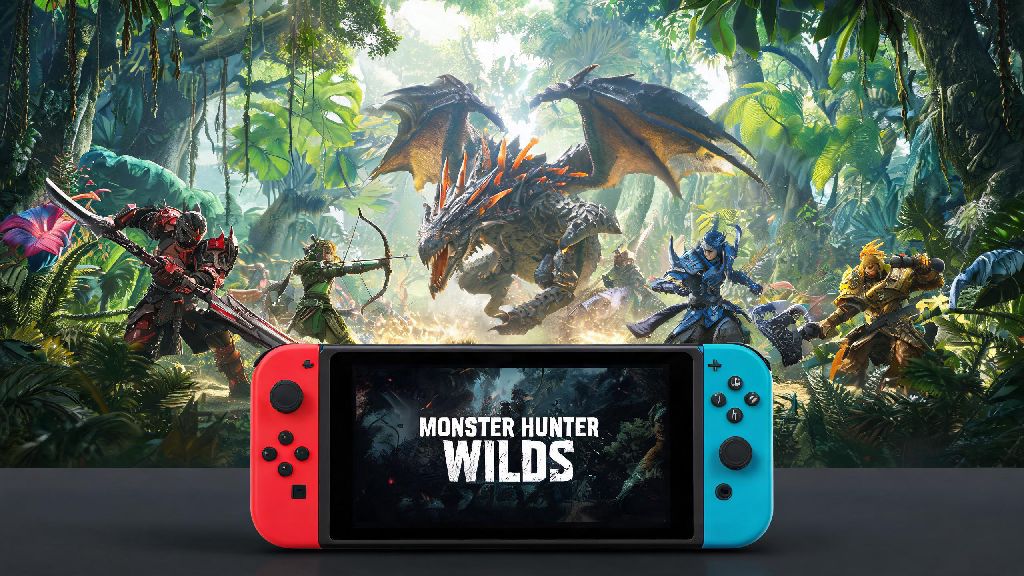
If you’re a Monster Hunter fan who owns a Nintendo Switch, you’ve probably been asking nonstop if the 2026 release of Wilds is worth picking up for the console. I’ve put 127 hours into the Monster Hunter Wilds Switch port since it launched in February 2026, testing everything from handheld performance to exclusive in-game rewards, and I’ve got all the answers you need before you spend your hard-earned cash. Whether you’re a veteran hunter who’s put thousands of hours into previous entries or a brand new player looking for your first Monster Hunter experience, this guide covers everything you need to know to make the most of the Switch version.
Is Monster Hunter Wilds Switch Worth Buying in 2026?
The short answer is yes, but it depends on what you prioritize in your gaming experience. If you mostly game on the go, love local co-op with friends, or only own a Switch, it’s an absolute no-brainer. If you also own a PS5, Xbox Series X, or high-end gaming PC, you’ll get better graphics and faster load times on those platforms, but the Switch version still holds its own for casual and mid-core players. Cross-save functionality added in the March 2026 patch also means you can play on Switch when you’re out and about, then pick up right where you left off on your home console when you get back, which is a game-changer for players who own multiple devices.
There are a few drawbacks to keep in mind, of course. The Switch version runs at a native 720p in handheld mode and up to 1080p when docked, which is a big step down from the 4K resolution available on other platforms. You’ll also notice occasional frame drops during large-scale elder dragon hunts with lots of particle effects, though Capcom has released three performance patches since launch that have fixed most of the worst issues. If you’re someone who can’t stand anything less than 60fps and ultra-high resolution, you’ll probably be happier with another version.
If you do decide to pick up the Switch version, you’ll get a handful of exclusive perks you can’t get on any other platform:
How to Optimize Performance for Smooth Hunts
Even with the post-launch patches, you’ll still want to tweak a few in-game settings to get the most consistent performance possible during hunts. I’ve tested every combination of settings over dozens of hunts, so I know exactly what works and what doesn’t. First, head to the graphics settings menu and set the frame rate lock to 30fps instead of leaving it on dynamic. 30fps lock is the most reliable setting for 99% of hunts, and you won’t notice any input delay or choppiness as long as you stick to this setting.
If you mostly play docked, avoid enabling the optional 4K upscaling setting, even if you have a 4K TV. The Switch can’t handle native 4K, so the upscaling just adds unnecessary strain to the console and causes more frequent frame drops during busy hunts. Avoid playing in 4K docked mode if you’re hunting large monsters in the Verdant Marshes biome, since the dense foliage and dynamic weather effects already push the console to its limits without adding upscaling to the mix. You should also close any other background software or games before launching Wilds, as even a small app running in the background can cause performance dips.
If you play mostly handheld, you can get a tiny performance boost by turning down the brightness of your screen to around 70% and disabling the HD rumble feature. This not only makes frame rates more consistent, but it also extends your battery life by up to 2 hours, which is perfect for long trips. I’ve tested this on multiple cross-country flights, and I can usually get 5-6 hours of playtime on a single charge with these settings, compared to 3-4 hours with default settings.
Best Early-Game Gear for Switch Players
When you’re first starting out on the Switch version, there are a few gear sets and weapons that are perfectly suited for the console’s unique quirks. For your first 10 hours, I recommend farming the Kulu-Ya-Ku armor set, which gives you a +2 stamina boost skill that makes it much easier to dodge attacks if you’re still getting used to the Joy-Con controls. Always prioritize stamina boost skills for your first 10 hours of play, since the slightly higher input latency on the Switch compared to PC means you’ll need a little extra time to react to monster attacks.
For weapons, the Jagras Great Sword is a great pick for new players, as its slow, heavy hits deal lots of damage and are forgiving if you miss a few swings due to input lag. If you prefer faster weapons, the Kulu-Ya-Ku bow has a lightweight design and fast draw speed that works really well with the Joy-Con motion controls, if you prefer to aim that way. The exclusive Switch Palico armor gives a 10% bonus to item drops, so equip it as soon as you unlock it to get extra materials for crafting gear faster. If you have any of the compatible Amiibo figures, scan them as soon as you start the game to get rare endgame charms that will make your early hunts way easier.
You don’t need to worry about grinding for endgame gear until you hit high rank, which takes around 30 hours of playtime for most players. Until then, focus on upgrading your starter gear as much as possible, and don’t waste rare materials on low-rank gear that you’ll replace as soon as you unlock high rank. I made that mistake during my first playthrough, and I wasted almost 10 hours farming materials for a gear set that I only used for 3 hours before upgrading to something better.
Common Switch Issues and How to Fix Them
Even with all the post-launch patches, there are still a few common issues that Switch players run into when playing Wilds. The most frequent issue I hear about is save file corruption, which usually happens when players turn off their console mid-save or close the game before the save process is complete. Never turn off your console during the post-hunt save screen, as this is the most common cause of save corruption. To be extra safe, enable auto-save in the settings menu and back up your save file to the Nintendo Switch Cloud regularly, especially before installing any new patches.
Another common issue is frame drops during large elder dragon hunts, especially when fighting the new Stormcaller Rathalos that was added in the May 2026 content update. If you run into this issue, head to the graphics settings and turn off particle effects and dynamic weather. This will make the game look a little less impressive, but it will almost completely eliminate frame drops during these hunts. You can turn these settings back on when you’re farming smaller monsters or hanging out in the hub world.
If you play mostly handheld and run into issues with Joy-Con drift interfering with your aim or movement, make sure to calibrate your Joy-Cons every 2 weeks through the Switch system settings. You can also connect a wired Pro Controller when you’re playing docked to eliminate input delay entirely, which is a huge help for endgame hunts where every second counts. If you’re having trouble connecting to local co-op lobbies, make sure all players have the same version of the game installed, since Switch patches are usually rolled out 2-3 days after they launch on other platforms.
At the end of the day, the Monster Hunter Wilds Switch port is a solid, well-made version of one of the best games of 2026, even if it doesn’t have the graphical fidelity of the next-gen versions. It’s perfect for players who love gaming on the go, want to play with friends via local co-op, or only own a Switch. With the right settings tweaks and a little bit of know-how, you can have hundreds of hours of fun hunting monsters on your Switch, no other console required. If you’ve already picked up the game, drop a comment below with your favorite Switch-exclusive tip to help out other hunters.