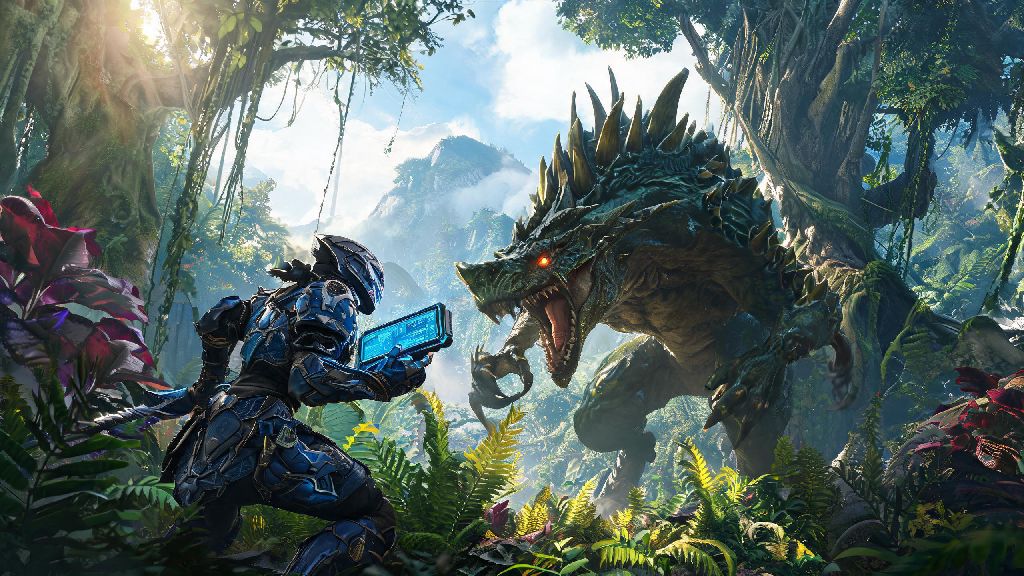
2026’s Monster Hunter Wilds launch has delivered everything long-time fans hoped for: sprawling new biomes, ferocious never-before-seen monsters, and a grind loop that’s as satisfying as it is time-consuming. But if you’re juggling work, family, or other responsibilities, spending 8 hours farming a single rare monster part to finish your build can feel impossible. That’s where a monster hunter wilds trainer comes in, as long as you know how to use it safely and responsibly. I’ve put 120+ hours into Wilds since its launch, and tested half a dozen popular trainer tools to figure out what works, what gets you banned, and how to use these tools without ruining the core fun of the hunt.
What Makes a Safe Monster Hunter Wilds Trainer for 2026 Play?
First, let’s get one thing straight: not all trainers are created equal. A lot of sketchy sites peddle tools loaded with malware, or trainers that don’t account for Capcom’s updated 2026 anti-cheat system, leading to instant permanent bans even if you only use them offline. When vetting a trainer, there are non-negotiable features you need to look for before downloading anything to your system.
I’ve seen far too many players lose 50+ hours of save progress because they downloaded a random trainer from a random ad-filled site. Only download trainers from verified, community-trusted sources to avoid both malware and bans. You should also back up your local save file before testing any trainer, even if it comes highly recommended, just in case something glitches and corrupts your data.
Top Use Cases for a Trainer That Don’t Ruin Your Game Fun
A lot of purists will argue that using any trainer is cheating, but that’s a really narrow view of how people play games in 2026. For most players, a trainer is just a quality of life tool that removes frustrating, unfun parts of the grind without taking away the challenge of the actual hunt. I don’t use trainers to one-shot monsters or make myself invincible, but I do use them for specific use cases that make the game more enjoyable for my schedule.
Accessibility support for disabled players is one of the most underrated uses for these tools. If you have arthritis or joint pain that makes spamming dodges or perfect guards for 20-minute hunts unbearable, a small, adjustable defense boost can keep the game playable without removing all challenge. If you only have 1-2 hours a week to play, you can use a trainer to skip grinding for rare monster parts you’ve already earned dozens of times on previous hunts, instead of wasting your limited playtime running the same hunt 15 times for a single plate. Content creators also use trainers to test new build combinations quickly, so they can share accurate, helpful guides with their audiences without spending 40 hours farming every possible material.
So if you’re using a trainer to skip unfun, repetitive tasks instead of skipping the actual hunt, you’re not ruining the game for anyone – you’re just tailoring the experience to fit your needs.
Common Trainer Mistakes That Will Get You Banned in 2026
Capcom’s anti-cheat for Wilds is way more aggressive than it was for previous Monster Hunter titles, and even small mistakes can lead to a permanent ban that you can’t appeal. I’ve had two friends get banned in the first month of launch for avoidable mistakes, so it’s important to know what risks to look out for before you run any trainer alongside your game.
The most common mistake is using a trainer that doesn’t have an automatic offline lock. Even if you only intend to use it offline, it’s easy to forget you have it running when you join a friend’s online lobby. The anti-cheat scans your running processes the second you connect to a server, and it will flag any modified game files instantly. Never connect to online play with any trainer files active on your system, even if you think you’ve turned all the functions off. Outdated trainers are another big risk: if you run a trainer that hasn’t been updated for the latest weekly patch, the anti-cheat will pick up the mismatched memory edits even when you’re fully offline, and flag your account for a ban the next time you connect to the internet.
You also should never modify your hunter rank or quest progress with a trainer if you ever plan to play online. Even if you turn the trainer off completely, the server will detect that your rank is higher than the maximum possible for the number of quests you’ve completed, and issue a permanent ban with no path to appeal.
How to Use a Trainer Responsibly for Long-Term Enjoyment
The biggest risk of using a trainer isn’t getting banned – it’s ruining the fun of the game for yourself. If you turn on infinite health and one-shot every monster, you’ll burn out on Wilds in a couple of hours, because the core loop of learning monster patterns and overcoming tough hunts is what makes the franchise so addictive. I set clear personal rules for when I use my trainer, and that keeps the game fun while still letting me skip the parts I hate.
Limit trainer use to specific, pre-defined goals instead of turning it on for every play session. For example, I only use mine to get rare decoration drops if I’ve already run the same hunt 10+ times without getting the drop I need. I never use it to modify my damage or defense during actual hunts, because that removes the satisfaction of beating a tough monster after multiple tries. If you’re a new player, hold off on using any trainer for your first 20 hours of play. You need to learn the core combat mechanics and grind loop first, otherwise you’ll have no idea how to play when you do join online hunts with friends.
If you’re playing local co-op with friends, always ask if they’re okay with you using a trainer before you turn it on. Some people really enjoy the grind, and using a trainer to skip progression can make their play experience feel less rewarding. It’s a small courtesy that goes a long way to making sure everyone has fun.
At the end of the day, a monster hunter wilds trainer is just a tool, and whether it’s good or bad depends entirely on how you use it. For players with limited time, accessibility needs, or just a hatred for grinding rare drops, it can make Wilds far more enjoyable in 2026 without ruining the core fun of the hunt. As long as you stick to trusted tools, follow the safety rules to avoid bans, and set clear limits for how you use it, you can get all the benefits of a trainer without any of the downsides. The point of playing Monster Hunter is to have fun, after all – if a trainer helps you do that without hurting other players, there’s no reason not to use it.