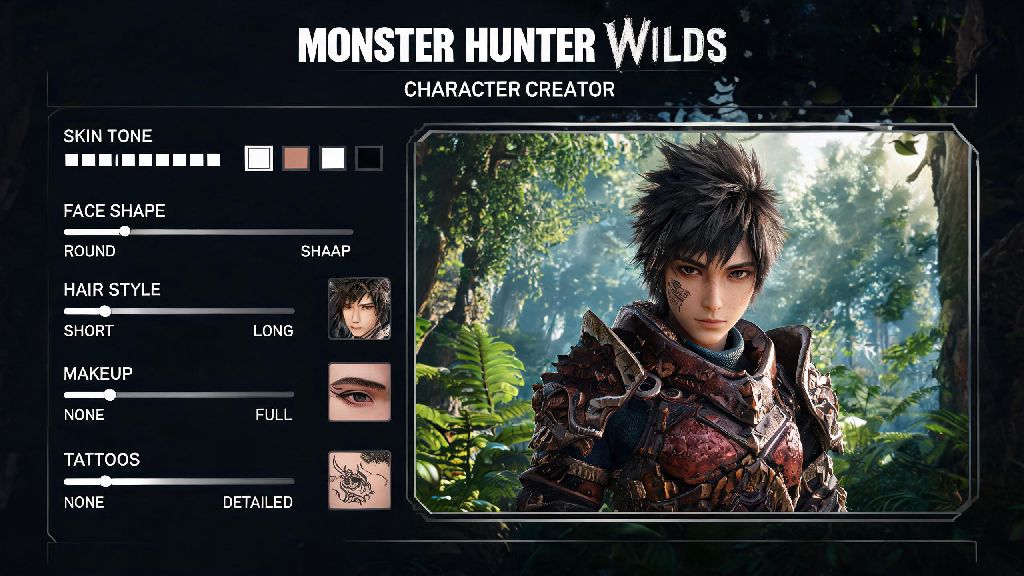
If you’ve ever spent 45 minutes tweaking a single jaw slider only to realize your hunter looks nothing like the reference image you saved to your phone, you’re not alone. Monster Hunter Wilds character creation codes solve this exact problem, letting you skip the tedious slider work and jump straight to hunting with a look you love. I’ve spent the past three weeks testing shared codes from the global MH community, figuring out what works, what triggers import errors, and how to tweak imported characters to make them feel uniquely yours. This guide breaks down everything you need to know to use these codes without hassle.
What Are Monster Hunter Wilds Character Creation Codes and How Do They Work?
These codes are 16-character alphanumeric strings generated directly by the game that store every single setting from your character creation menu. That includes facial sliders, skin tone, hair style and color, makeup, scars, voice pitch, and even the small facial tattoos or piercings you add. Unlike older Monster Hunter titles where you had to manually copy 50+ slider values from a forum post to replicate a look, these codes do all the work for you in seconds.
You don’t need any modding or external tools to use official codes – they’re built directly into the base game for all platforms, including PC, PS5, and Xbox Series X/S. Cross-platform codes work about 90% of the time, though minor differences in screen rendering might make skin tones look slightly warmer or cooler on different consoles, so you can make small adjustments after import if needed. Codes don’t expire either, so you can save a favorite look to use for multiple playthroughs down the line.
How to Input Character Creation Codes Correctly
Using these codes is straightforward, but there are a few small steps you don’t want to skip to avoid errors. If you’re starting a new save file, you’ll find the Import Code button in the bottom right corner of the initial character creation screen. If you already have an existing save, you don’t have to restart to use a new code: just head to any item box in your base camp, select the “Edit Appearance” option, and you’ll find the same import button there.
Once you paste or type in the code, the game will load the saved preset in 2 to 3 seconds, and you can make any small tweaks you want before saving. The most common mistakes people make when inputting codes are easy to avoid if you watch for them:
Where to Find High-Quality Working Character Codes
There are tons of places to find codes online, but some sources have far more reliable, high-quality options than others. The official Monster Hunter Discord server has a dedicated, mod-curated channel for shared character codes, where every post includes a clear screenshot of the character so you know exactly what you’re importing before you type in the code. Moderators also remove broken or mislabeled codes quickly, so you won’t waste time typing in strings that don’t work.
Reddit’s r/MonsterHunterWilds also has a weekly character share thread, where users post their custom looks alongside codes, and you can ask creators to make small adjustments to their codes if you want a slightly different version. TikTok and Instagram hashtags like #MHWildsCharacterCodes are also great spots to find fun, creative looks, from anime character replicas to celebrity-inspired hunters. Always check the comment section of any code share post to confirm other users have successfully imported it, especially if it’s a newer post from a small creator. Some codes are made for specific body types, so make sure you select the matching body type in your editor before importing to avoid distorted features.
How to Customize Imported Presets and Share Your Own Codes
Importing a code doesn’t mean you have to keep the look exactly as it is. You can adjust every single slider and setting after import, from hair color to eye shape to adding your favorite scars or face paint, to make the character feel truly yours. I usually import a base preset I like, then spend 5 to 10 minutes tweaking small details like eyebrow shape and lip color to match my personal style, which saves me way more time than building a character from scratch.
If you make a custom look you’re proud of, sharing your own code is just as easy as importing one. Once you’re happy with your character, head to the share menu in the character editor, select “Generate Code”, and the game will create a unique 16-character string you can share anywhere. It’s good practice to post a front and side screenshot of your character alongside your code, so other users know exactly what to expect before they import. If you used any paid DLC cosmetic items for your character, note that in your post: the code will still work for users who don’t have the DLC, but the DLC items will be replaced with default options automatically, which can change the overall look if you don’t warn people ahead of time.
At the end of the day, monster hunter wilds character creation codes are all about cutting out the boring parts of character setup so you can spend more time tracking and hunting the massive new monsters roaming the Wilds map. You don’t have to be a character creation expert to get a cool, unique hunter look, and you don’t have to spend an hour tweaking sliders if you don’t want to. Don’t be afraid to tweak imported presets to match your preferences, and if you make a look you’re proud of, share it – you might just make another player’s day when they stumble on your code in a forum thread.